Today's world — Arduino, ESP32, Raspberry Pi
You now understand what a 1980s computer was made of. Forty-some years later you can buy something that runs hundreds of times faster, fits on a fingernail, and costs less than lunch. Three platforms — Arduino, ESP32, Raspberry Pi — cover most of what a hobbyist will ever need. Here's how to pick one, what each is good and bad at, and how AI changes the story.
The system from the last six lessons — CPU, ROM, RAM, clock, I/O controller, video chip, co-processor — described a real computer from 1980. That computer was a desktop-sized box that cost a thousand dollars in period money and ran at one megahertz.
You can buy that exact pattern today on a board the size of a USB stick for about ten dollars. Same shape — CPU, ROM, RAM, clock, I/O, sometimes a co-processor — except now it all fits on a single chip, runs hundreds of times faster, draws less than a watt, and talks WiFi. You don’t need a workshop. You need a USB cable.
This lesson is a quick map of where to actually buy this stuff and how to think about which one to grab.
Two flavors of “computer”
The DIY world today is divided into two big families. Once you see the split, every individual board snaps into one or the other.
Microcontrollers are self-contained chips. CPU, ROM (usually flash you can re-program), RAM, and a generous selection of I/O pins, all on one piece of silicon. You don’t connect them to a keyboard or a screen. You connect them to a sensor, an LED, a motor, a relay, a serial port. You write the entire program once, flash it onto the chip, and the chip runs that program forever (or until you reflash it). The whole 6502 system lives inside a single chip in a microcontroller.
Single-board computers are small full computers. Multi-core CPU, gigabytes of RAM, gigabytes of storage, HDMI out, USB ports, network. They run an operating system — usually Linux. You log into them. They feel like a desktop, just smaller and quieter.
The difference matters because they fail at completely different things. A microcontroller will happily wake up, fire a relay exactly 50 microseconds after a sensor reading, and go back to sleep — stuff a single-board computer’s OS would have to wrestle a kernel scheduler to do reliably. A single-board computer will happily serve a webapp from a database — stuff a microcontroller has no hope of doing in any reasonable amount of memory.
The three platforms most people use
Out of the dozens of options, three cover ~90% of hobbyist work:
Arduino
The friendly start. The original Arduino Uno ran an Atmel ATmega328 — an 8-bit AVR microcontroller, 16 MHz, 32 KB of flash, 2 KB of RAM. Today’s lineup ranges from that classic up to ARM-based boards in the same form factor.
- Strength: a huge community, an enormous library of pre-made drivers for every sensor and actuator under the sun, an IDE so beginner-friendly it almost feels like a toy. “Blink an LED” to “running code” takes about five minutes the first time.
- Weakness: the slowest, smallest of the three. The IDE hides most of the actual hardware behind library wrappers, which is great for getting started and frustrating once you want to do something the wrappers didn’t anticipate. ISR support exists but is documented in scattered places.
- Cost: $5–$25 depending on whether you buy genuine or a clone.
- Power: tens of milliwatts. Will run for months on a coin cell if you sleep it aggressively.
- Best for: simple sensors, blinking things, motor control, data loggers, your first hardware project.
ESP32
The wireless workhorse. Espressif’s ESP32 is a 32-bit dual-core microcontroller, ~240 MHz, hundreds of KB of RAM, a few MB of flash, and crucially WiFi and Bluetooth built right onto the chip. It’s the right answer for any project that needs to talk to a network without dragging along a Raspberry Pi.
- Strength: the price-to-capability ratio is absurd. The chip is more powerful than the original 6502 by a factor of about ten thousand, and you can buy a board around it for $5–$10. Two cores let you run real-time work on one core and networking on the other. ISR support is good. There’s an Arduino-compatible toolchain and a serious one (ESP-IDF, FreeRTOS-based) for when you’re ready.
- Weakness: sharper edges than Arduino. Dual cores, OS-level features, watchdog timers — there are more knobs to get wrong. Power-on sequencing and WiFi bring-up have idiosyncrasies you’ll hit once and remember forever.
- Cost: $5–$10 for a development board.
- Power: more than Arduino at full tilt, but with deep-sleep modes that pull microamps. Battery-friendly if you wake it up briefly and put it back to sleep.
- Best for: anything that needs internet, anything that does more than one thing at once, your “I should learn embedded properly” project.
Raspberry Pi
A whole computer, just small. The current lineup ranges from the Pi Zero 2 W (single-board, runs Linux, ~$15) up through the Pi 5 (quad-core, gigabytes of RAM, $80+). It boots from a microSD card, runs a desktop or a server stack, and exposes a header of GPIO pins so it can also do hardware-y things if you want.
- Strength: it’s just Linux. Anything that runs on a Linux laptop runs here. Python, Node.js, Docker, web servers, Tailscale, databases — all of it. The community is enormous, the documentation is mostly first-class, and it’s the right answer whenever your project wants to feel like an app instead of a circuit.
- Weakness: it’s just Linux. You don’t get hard real-time guarantees. ISRs go through the kernel, which can decide to schedule something else for 30 ms while you’re trying to time a precise 50 µs pulse. Power draw is much higher than a microcontroller. SD cards eventually wear out. It boots in seconds, not microseconds.
- Cost: $15–$100.
- Power: 1–5 watts. You won’t run one off a coin cell.
- Best for: web-shaped projects, “I want to run a homelab,” edge AI, kiosk-style displays, anything where the pain of an OS is worth its conveniences.
STM32 (honorable mention — the timing-critical workhorse)
When you need predictable hardware timing — control loops, motor drivers, precise PWM, hard real-time signal generation — the STM32 family from ST Microelectronics is the chip people reach for. ARM Cortex-M cores (M0 through M7, depending on the family), big lineup running from “tiny and cheap” up to “frighteningly fast,” extensive on-chip peripherals (DMA, timers, ADCs, CAN, SPI, DSP units), and excellent documentation by industry standards.
- Strength: hardware timers and DMA so good that whole classes of work happen without the CPU touching the bus. Industrial and automotive industries lean heavily on STM32 for exactly this reason. Real-time-OS support (FreeRTOS, Zephyr, etc.) is first-class. Wide price/power range — there’s an STM32 for almost every constraint.
- Weakness: noticeably less beginner-friendly than the Arduino / ESP32 path. Toolchain options (STM32CubeIDE, PlatformIO, bare GCC + OpenOCD) all involve a learning curve. Community is large and excellent, but more “engineers” than “hobbyists” in tone.
- Cost: dev boards (Nucleo / Discovery / Black Pill) range from $5 (Black Pill) to $30+ for higher-end Nucleo boards.
- Power: very flexible — STM32L (low-power) parts go down into microamp-range sleep, STM32H7 (high-performance) parts pull more than an ESP32 at full tilt.
- Best for: motor control, drone flight controllers, sensor hubs with strict timing requirements, audio signal processing, any project where “predictable to the microsecond” matters more than “easy to get started.”
You probably won’t start with STM32 — start with ESP32 — but if you find yourself fighting Arduino’s or ESP32’s timing predictability for a serious project, STM32 is the next stop.
Side-by-side
| Arduino Uno | ESP32 | STM32 (F4 class) | Raspberry Pi 5 | |
|---|---|---|---|---|
| Type | Microcontroller | Microcontroller | Microcontroller | Single-board computer |
| CPU | 8-bit, 16 MHz | 32-bit, dual-core, 240 MHz | 32-bit ARM Cortex-M4, ~84–180 MHz | 64-bit, quad-core, 2.4 GHz |
| RAM | 2 KB | ~520 KB | 64–512 KB | 4–16 GB |
| Storage | 32 KB flash | 4–16 MB flash | 256 KB–2 MB flash | microSD, anything |
| Wireless | None | WiFi + BT built-in | None (add a module) | WiFi + BT built-in |
| OS | None (bare metal) | None or FreeRTOS | None or FreeRTOS / Zephyr | Linux |
| ISRs | Yes (simple) | Yes (real-time per-core) | Yes (excellent) | Indirect via kernel |
| Power | ~30 mW | ~150 mW active, µA sleep | mW range, µA sleep | 2–5 W |
| Cost | $5–$25 | $5–$10 | $5–$30 | $50–$80 |
| Boot time | Microseconds | ~milliseconds | Microseconds | ~seconds |
The cost / capability scaling is dramatic. Arduino is “almost free” but tiny. Raspberry Pi is “almost a desktop” but draws actual watts. ESP32 sits in the sweet spot for most things — for the price of a coffee you get more compute than a 1990s desktop and built-in networking.
”Feels like a computer” vs “is a chip”
Run through that table one more time and notice the divide. Arduino and ESP32 don’t have an OS. They are not “computers” in the way you use the word about your laptop. They’re chips — programmed once and run a single piece of code forever. The Raspberry Pi is a computer in the everyday sense. You shut it down. You log into it. There’s a kernel scheduling things you didn’t write.
This sounds like a small distinction and it’s actually the most important one when you’re picking a platform. The split shows up in:
- What “real-time” means. A microcontroller can guarantee “this pin will toggle within 200 nanoseconds of an interrupt firing.” A Raspberry Pi can’t, because the kernel might be busy. Fast, predictable timing belongs to the microcontroller side.
- What “boot” means. A microcontroller boots in microseconds. A Pi boots in seconds. If your project gets unplugged, both recover, but you’ll feel the difference.
- What “crash” means. A microcontroller program either runs or doesn’t. The Pi’s program is one process among many; you can SSH in and fix things, or you can have the kernel itself wedge.
- How you debug. Microcontroller debugging often means an
oscilloscope or a logic analyzer. Pi debugging is
printfandgdbandstrace.
Pick the side that matches what you’re trying to do. If you’re not sure: start with ESP32 unless your project demands otherwise. It’s the easiest jumping-off point for people who already know software but are new to hardware, and it covers more ground than Arduino without forcing a full Linux into the loop.
ISRs and the hard stuff
The ISR pattern from lesson 4 — “a peripheral grabs the CPU’s attention” — exists on every one of these platforms, but the quality of access varies wildly.
- Arduino exposes ISRs (
attachInterrupt), but the framework hides a lot of context-saving behind the scenes, and there are a few well-known footguns (you can’t do most things from inside an ISR — nodelay, noSerial.println, nomillis-altering state). - ESP32 has fairly proper interrupt support per core, with the
ESP-IDF framework providing the cleanest path. You can pin an
ISR to a specific core, mark it
IRAM_ATTRto ensure it runs even during flash operations, and have it signal a FreeRTOS task on the other core that does the actual work. (That’s literally the “queue it up for the main loop” pattern from lesson 4 — same shape, fancier dressing.) - Raspberry Pi (Linux) doesn’t really do ISRs in the application layer. You write a kernel module, or you accept the scheduler’s latency, or you reach for one of the small “user-space hard real-time” tricks like Linux’s PREEMPT_RT patch. Most people don’t, and instead use the Pi for things where the timing doesn’t matter to the microsecond.
If your project has to react to a hardware event in a predictable small number of microseconds, you want a microcontroller. If it just has to react fast enough that a human can’t tell, the Pi will manage fine.
The “assembly” question
Worth restating here: assembly is the lowest-level language. Every piece of code you’ve ever written, in every language — Python, JavaScript, Swift, Rust, C, C++, Go, Kotlin — gets converted, by a compiler or an interpreter, into a sequence of the chip’s native instructions before the chip can run it. There is no level below assembly. Assembly is what the CPU actually operates on.
That conversion is mostly invisible. When you write x = a + b in
C, the compiler emits something like LDA a; CLC; ADC b; STA x —
exactly the kind of 6502 sequence we built up in earlier lessons.
You don’t see it, you don’t have to think about it, but it’s there.
Higher-level languages are friendly abstractions over assembly;
they aren’t a replacement for it.
So why don’t you write assembly directly? Because compilers got extraordinarily good at producing it. The 99% rule:
- 99% of projects: you’ll never write a line of assembly. The C/Rust/whatever compiler will produce code at least as good as what you’d write by hand, and faster to develop in.
- 1% of projects: hand-written assembly is genuinely the right answer. Tight inner loops on AVR microcontrollers (NES emulators on Arduino, soft-rendered video over SPI), bootstrap code, the inner kernel of an audio codec, parts of a cryptographic primitive. The platforms that let you drop into ASM (Arduino, ESP32 inline ASM, STM32 anywhere, the Pi if you really must) become genuinely faster than the alternatives.
Knowing which 1% your project is in is mostly a question of “did the easy way work?” — if not, look deeper.
Some platforms promote their assembly story as a selling point. ESP32 has documented inline-asm patterns. AVR has a long, proud tradition of cycle-counted hand-tuned ASM for cases where the compiler can’t keep up. STM32 documents its register layouts in detail and assumes you’ll occasionally drop into ASM for a tricky ISR. RP2040 (the chip on a Pi Pico) even has a dedicated little co-processor — the PIO — that you program in its own assembly, separate from the main ARM cores.
(The 6502 simulator we keep referring to is the ultra-zoomed-in version of this question. It’s the answer to “what is the chip actually doing.” Even if you never write production assembly, an afternoon of poking at a 6502 changes how you read every other language. Recommended.)
AI as a copilot
Here’s the thing that’s actually different in 2026 vs. when I was learning this stuff. You don’t have to read the 800-page datasheet cold anymore.
Large language models are very, very good at:
- Translating between platforms. “Here’s an Arduino sketch. Show me the ESP32 equivalent.” “Convert this Pi Python script to an ESP-IDF C program.”
- Summarizing datasheets. “What are the GPIO drive strength options on an ESP32-S3?” used to be 20 minutes of scrolling through a PDF. It’s now 10 seconds.
- Writing the boilerplate. Wiring up SPI, configuring a sensor, setting up a FreeRTOS task — these are well-trodden patterns AI reproduces almost perfectly.
- Debugging cryptic errors. Paste the message. Get a list of the five things it usually means.
- Sanity-checking your design. “I want X. Is the ESP32 the right choice?”
What AI is bad at: anything involving the actual physical world. “Why does my circuit work on the breadboard and not on the PCB.” “Why is this sensor giving me nonsense readings.” “Is this power supply enough.” Those still need a multimeter, a scope, and your own eyes. But the information bottleneck — the thing that used to make embedded development feel like a closed club — is mostly gone.
A reasonable workflow: pick the platform from the table above, ask AI for a starter sketch, get it running, then read the parts that matter to your project carefully. You’ll fill in the gaps as you go, and you’ll learn far faster than reading the documentation linearly.
Real things people build with these
Concrete is better than abstract. Here are projects I’ve built or helped design over the years, each a small thing that puts one or more of the platforms above to work. Click through for the source and write-ups.

Commodore 64 Auto-Typer
A microcontroller that types a full BASIC program into a real Commodore 64, key by key, then runs it. Bridges 1982 hardware to a modern dev board over a few wires.
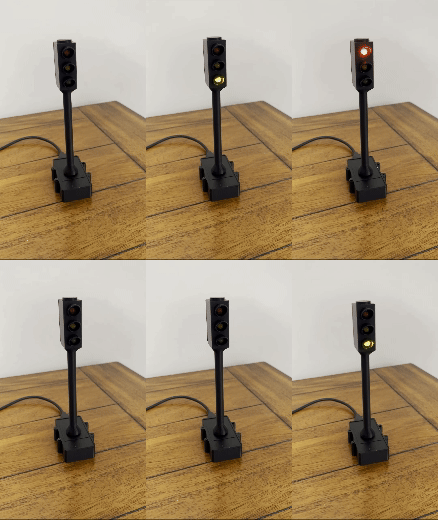
Desk Traffic Signal
A small desktop traffic light driven over WiFi — useful as a "do not disturb" signal during meetings or focus time.
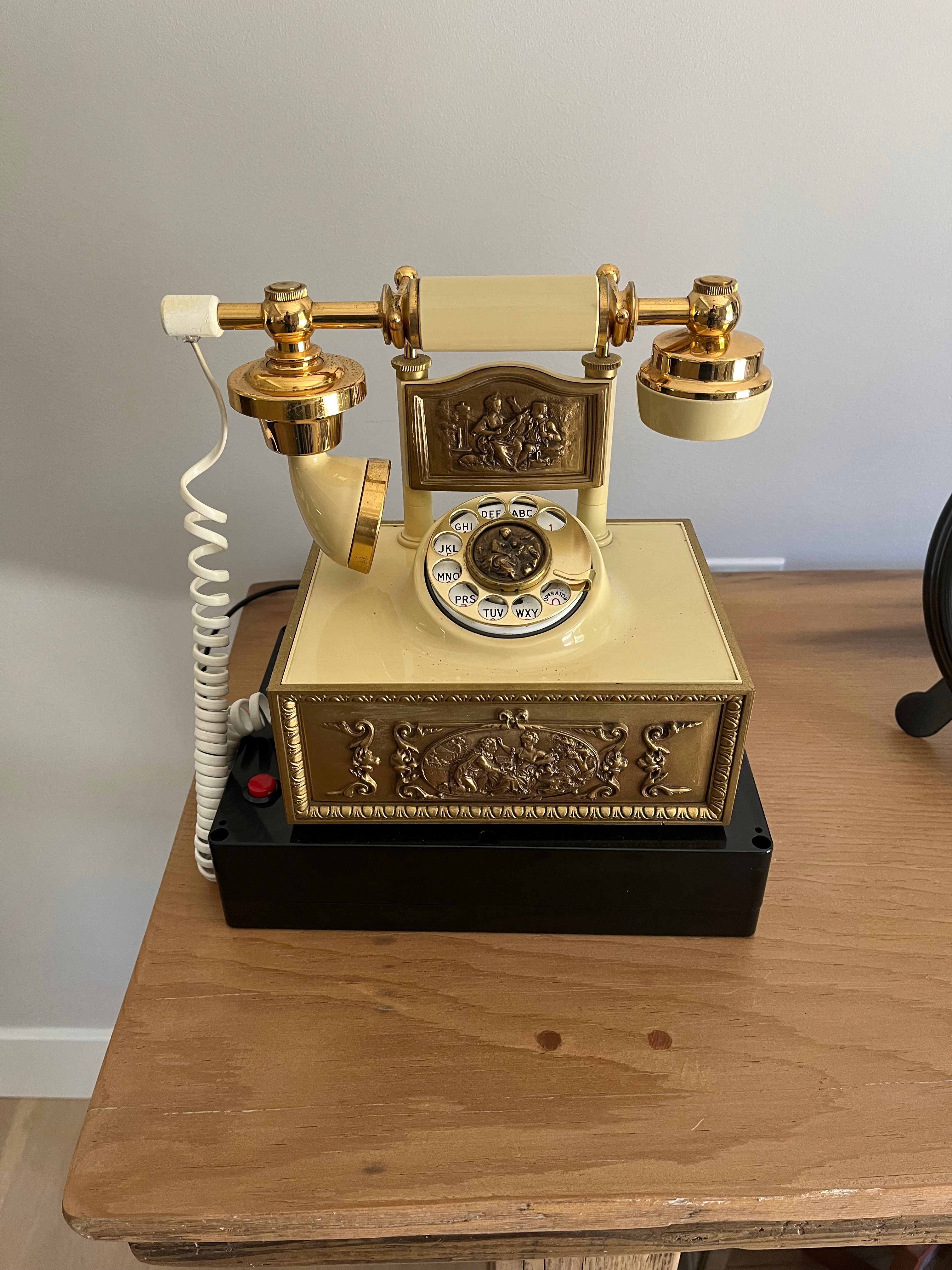
Retro Rotary Phone Voice Box
A vintage rotary phone converted into a playback device for keepsake voice messages. Pick up the receiver, get a voice from the past.
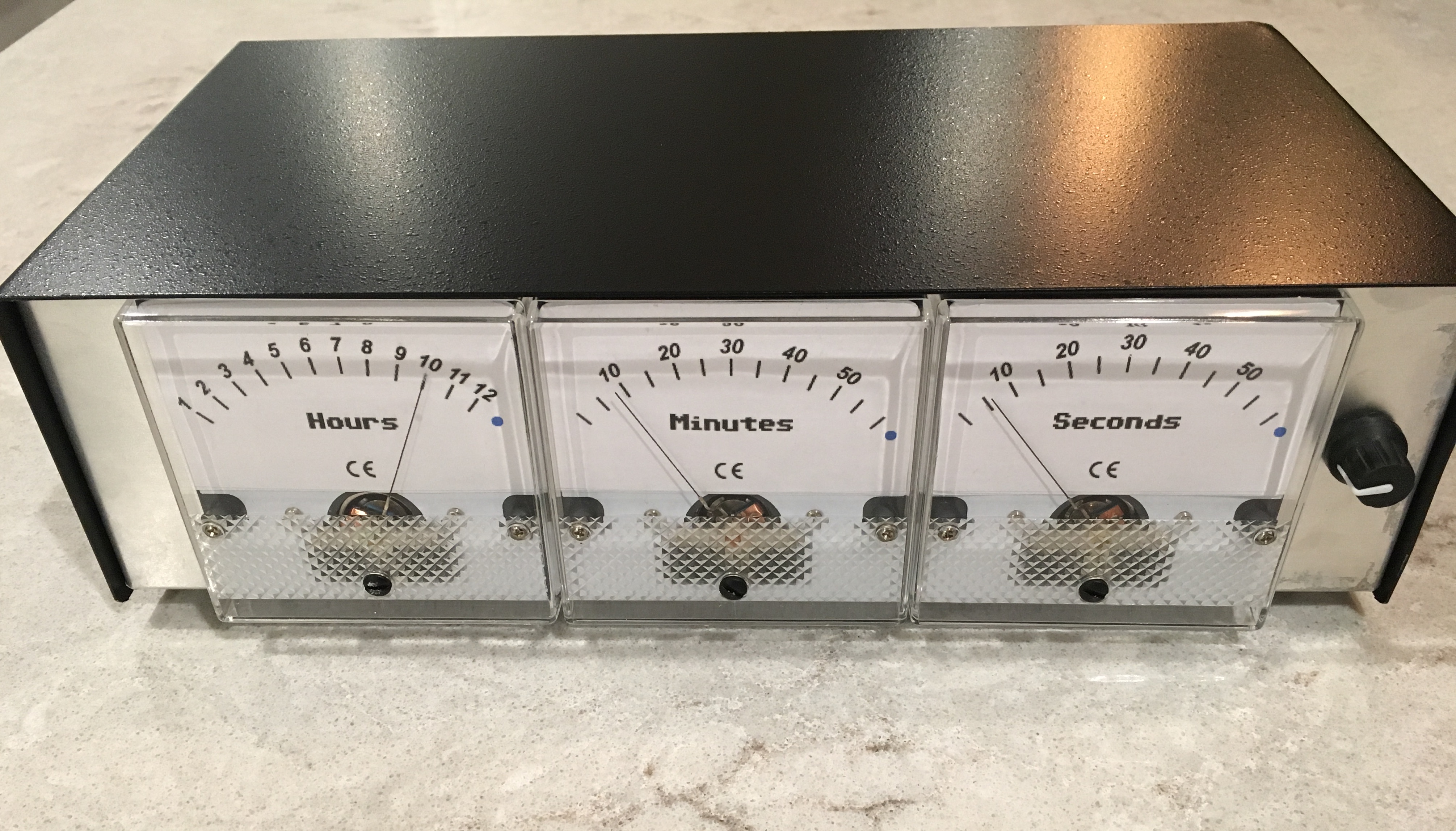
Panel Meter Clock
An analog panel meter — the kind you used to see on tube amplifiers — driven by a microcontroller to display the time.
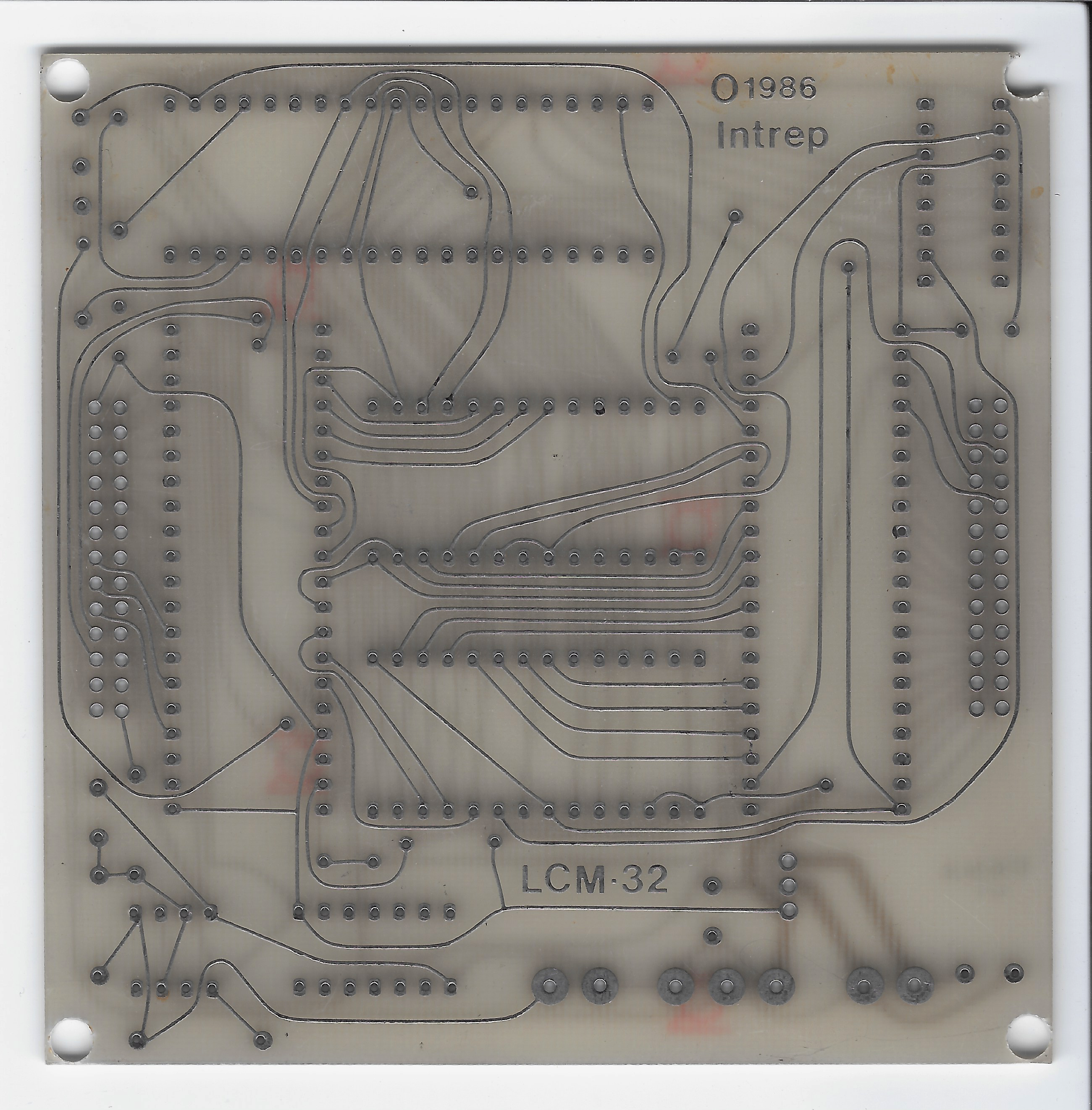
LCM-32
Archival of the Intrep LCM-32 — a 6502 single-board computer I helped design in the 1980s. Schematics, board photos, memory map, original brochure. Goes all the way back.
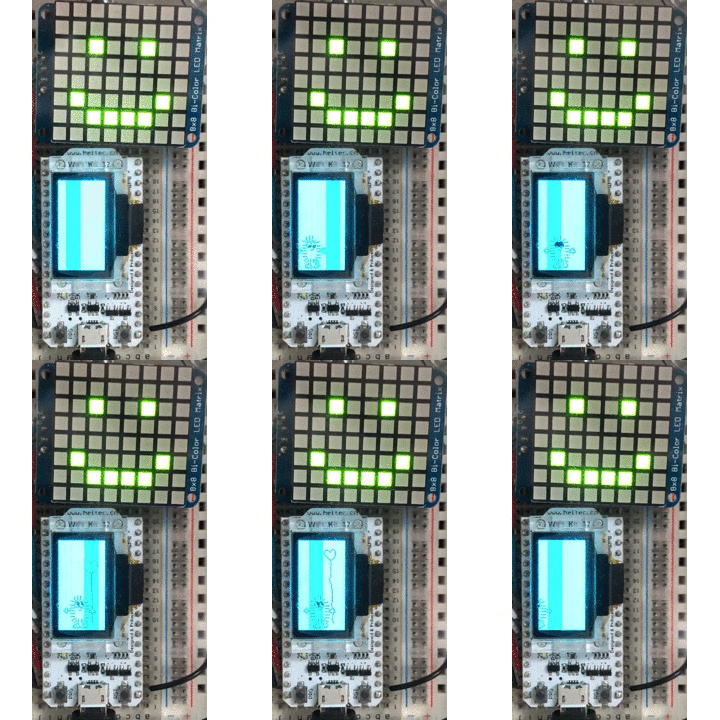
Christmas Gift 2019
A pile of small animated displays I built as gifts — a worm race, a gaze-following eye, a sound equalizer, a few others. All running on tiny microcontrollers with OLEDs.
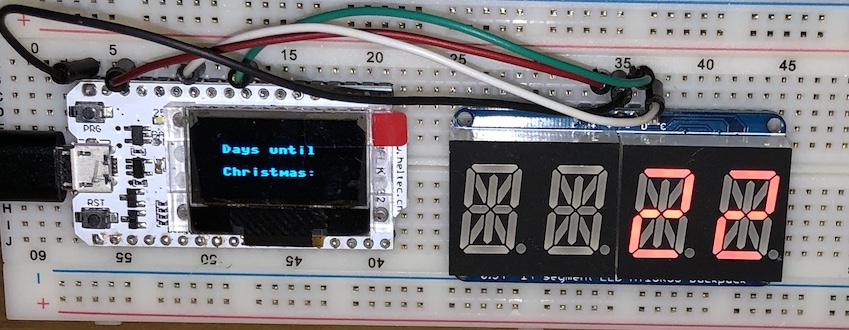
Days Until Christmas Counter
An alphanumeric LED display counting down the days until Christmas. The kind of thing a microcontroller is exactly the right tool for.

MicroPython GIF Viewer
Plays animated GIFs on a tiny OLED display. Decodes the GIF format on a microcontroller — frame-by-frame, byte-by-byte — and pushes the result to the screen.
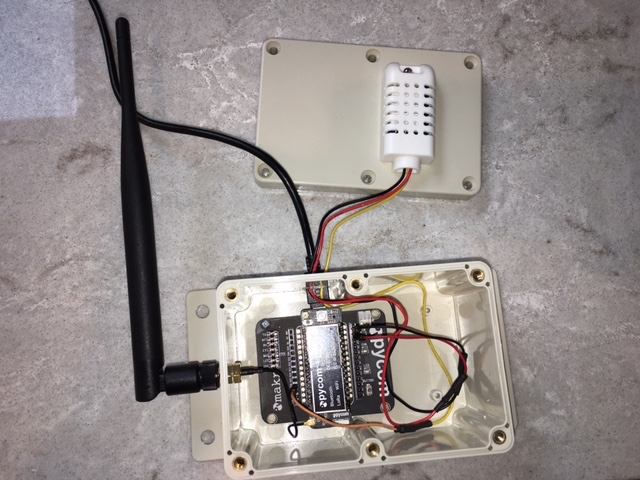
SSID Weather
Broadcasts the local temperature as the *name* of a WiFi network. Open your phone's WiFi list and read the temperature off the SSIDs. No app, no setup.
Most of these are MicroPython on small ESP32-class boards. A few involve old hardware (the C64 auto-typer, the LCM-32 archive) where the goal is reaching back across the decades. The point: you get a lot of mileage out of a $10 chip and an evening or two.
Where to start
If you’ve never bought a microcontroller before:
- Buy an ESP32 dev board ($10) and a USB-C cable. The “ESP32-S3 DevKit” or any common dev board is fine.
- Install the Arduino IDE or PlatformIO. PlatformIO is more serious, but Arduino IDE is fine to start with.
- Run the “Blink” example. This is the “hello world” of embedded. An LED on the board turns on and off. You wrote nothing — but now you have the toolchain working, the board detected, code compiling, and bytes flashing onto a real chip.
- Pick a small project that needs the network. Read a temperature sensor and post it to a webhook. Drive an LED strip from an HTTP request. Whatever sounds fun. The constraint of “small + uses WiFi” is what gets you actually using the parts of the chip the previous six lessons built up to.
- When you get stuck, ask AI. Paste the error. Paste your sketch. Get unstuck. Move on.
That’s the loop. Project, get stuck, get unstuck, project. Six lessons of theory was the appetizer. Now’s the part where the CPU, ROM, RAM, clock, I/O controller, video chip, and co-processor all show up on a chip with your name on it.